
Where leads come from
A lead is created the moment a visitor finishes a quiz and submits the contact form. Pivix uses the email address to match people: if the same email finishes another quiz, the existing lead is updated and the new result is added to its history.
The contact fields come from the Schema of the scorecard. By default these are First Name, Last Name, Email and Phone.
The Leads list
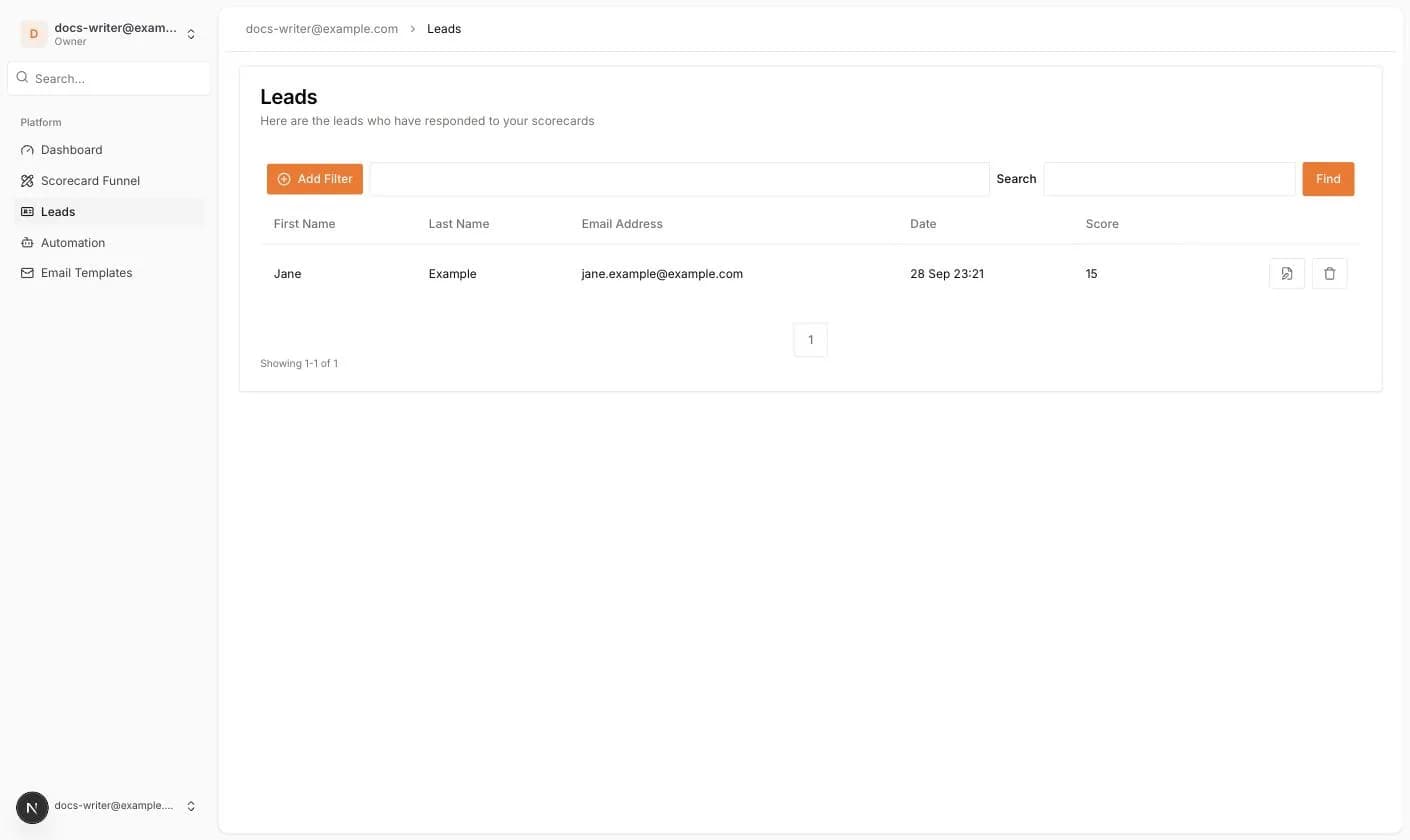
Open Leads in the left menu. The table shows one row per lead with First Name, Last Name, Email Address, Date and Score. Click a column header to sort.
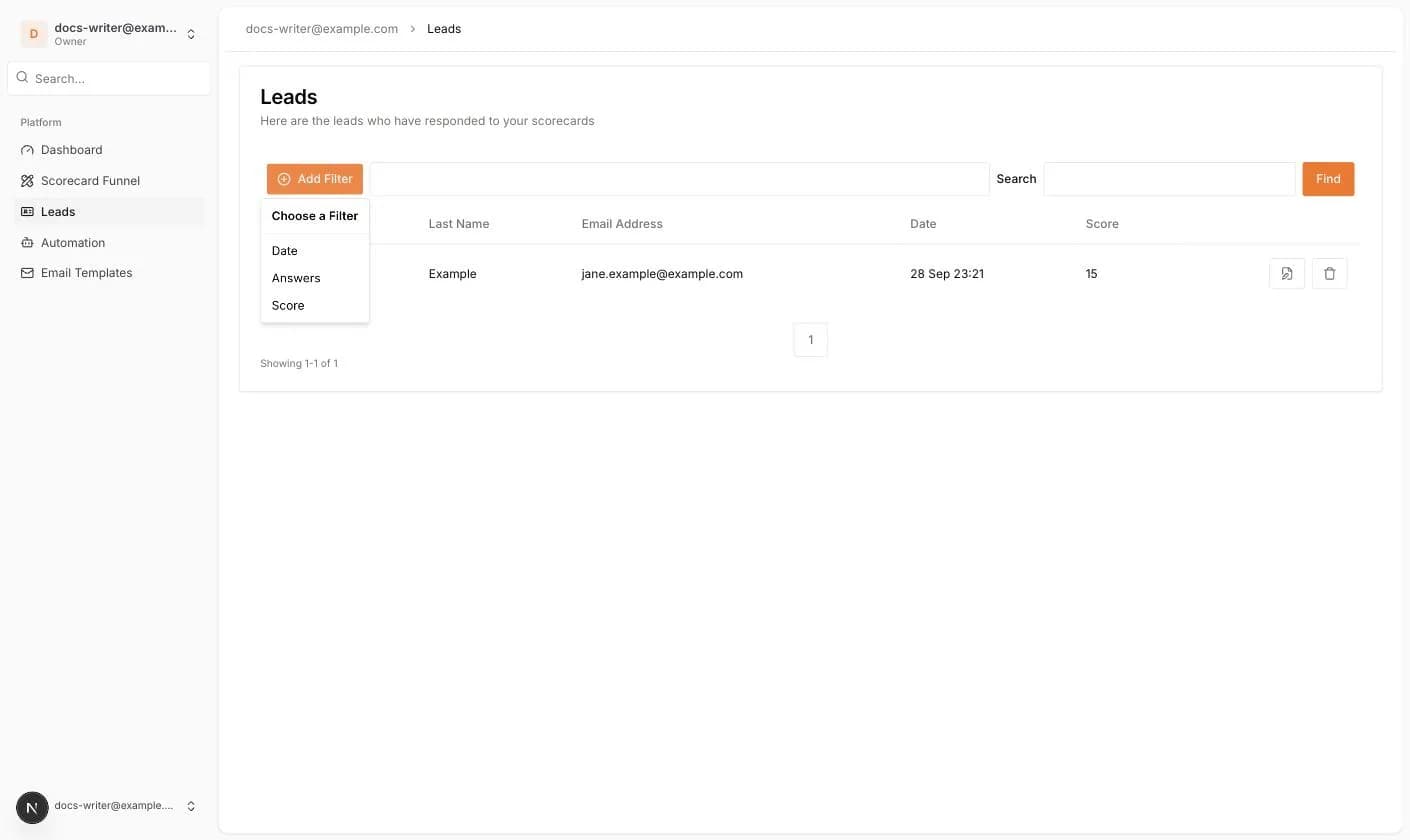
- Add Filter: filter by Date, Answers or Score.
- Search and Find: search leads by text.
- The document icon at the end of a row opens the lead.
- The trash icon deletes the lead after a confirmation.
Lead details
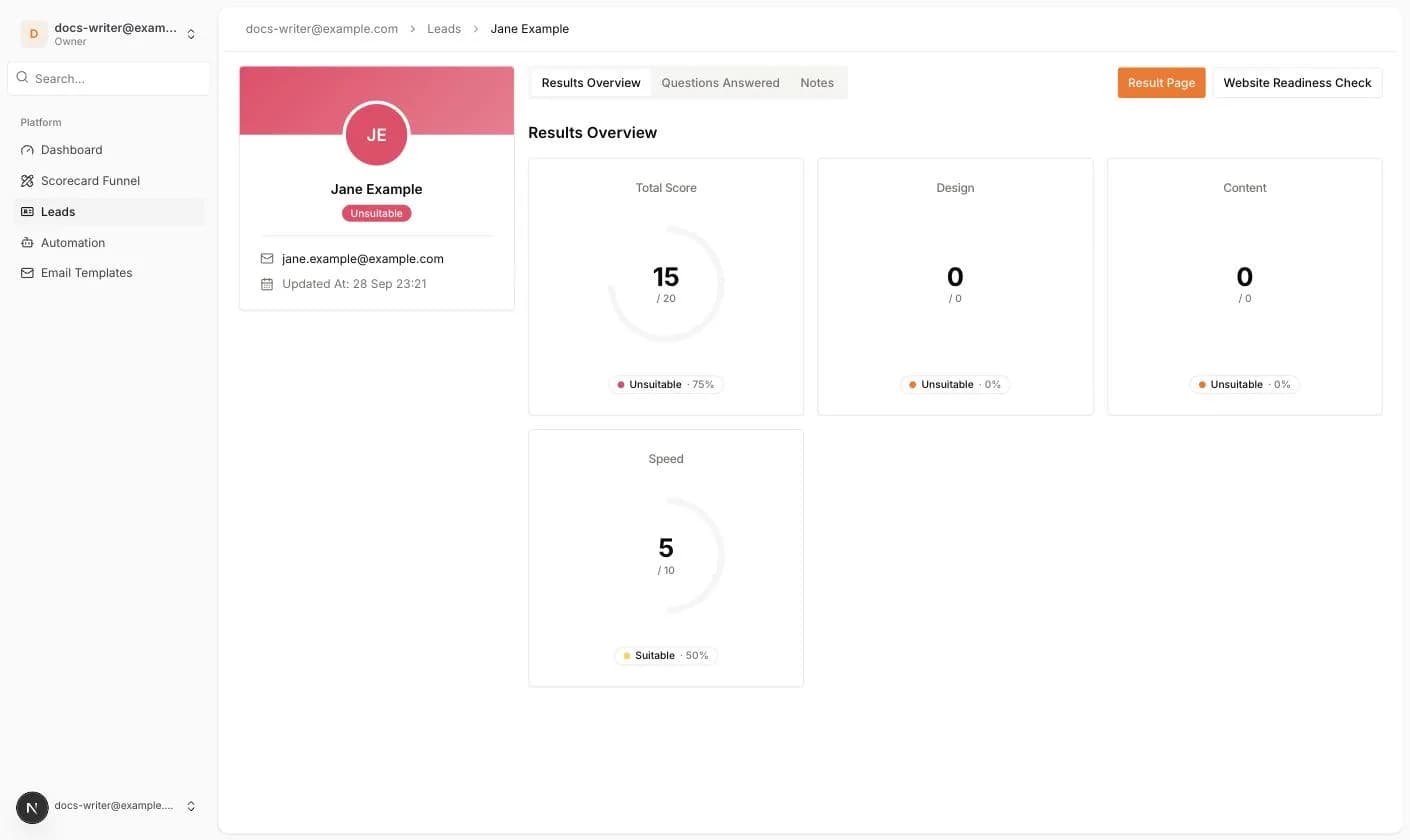
The lead page has a profile card on the left and result tabs on the right.
- Initials in a circle, colored with the tier color.
- The full name and a tier badge, for example Unsuitable. The badge shows the tier of the most recent result.
- The email address as a mailto link and the phone number if it was given.
- Updated At: the date and time of the last change.
- Attachments: files the lead uploaded through a File Upload field, newest first, with a download link.
- Result Page: opens the public result page of this lead in a new tab.
- A button with the scorecard name that opens the scorecard settings.
If a lead finished more than one quiz, a Result history row with one chip per result appears above the tabs. Click a chip to switch between results.