
Notes
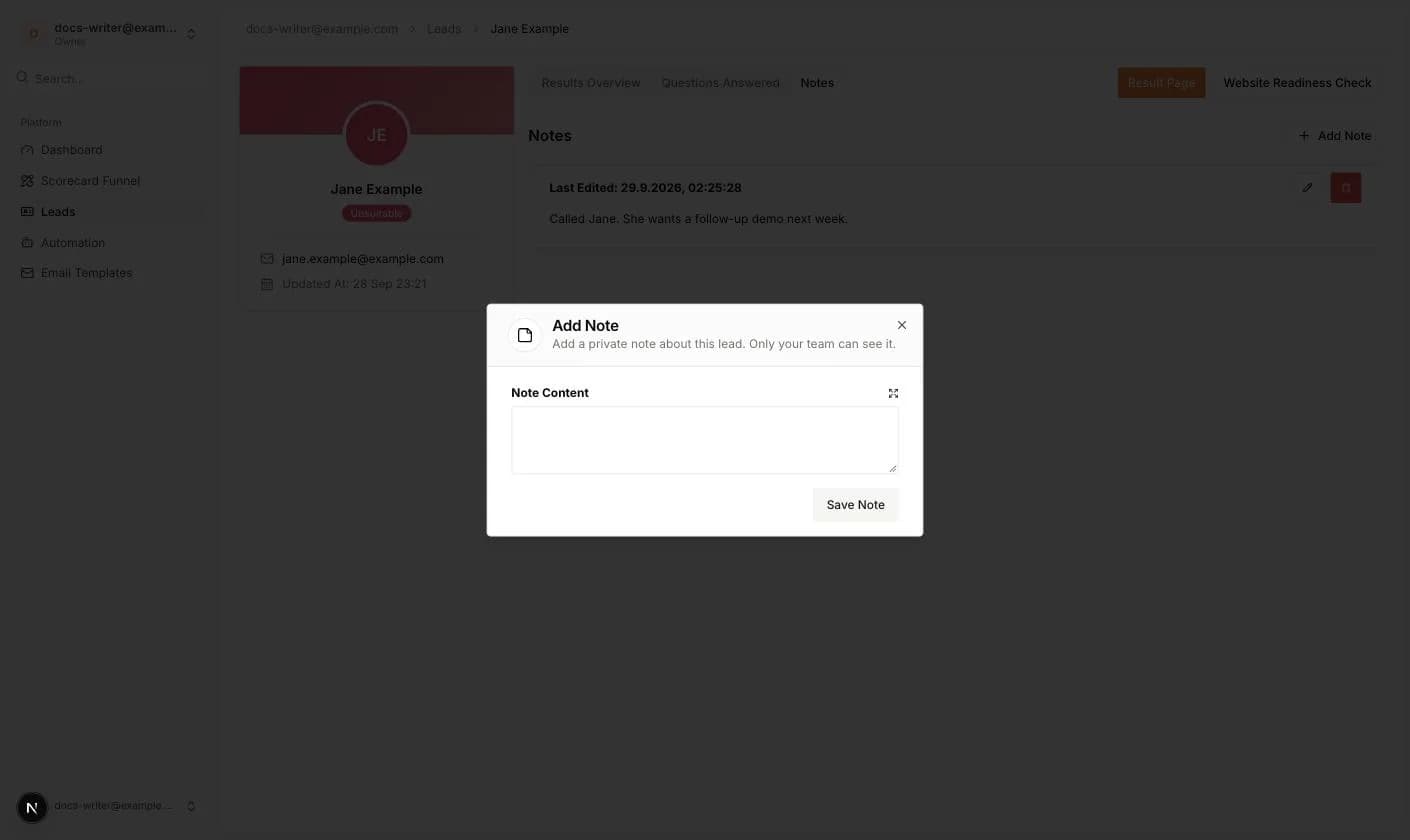
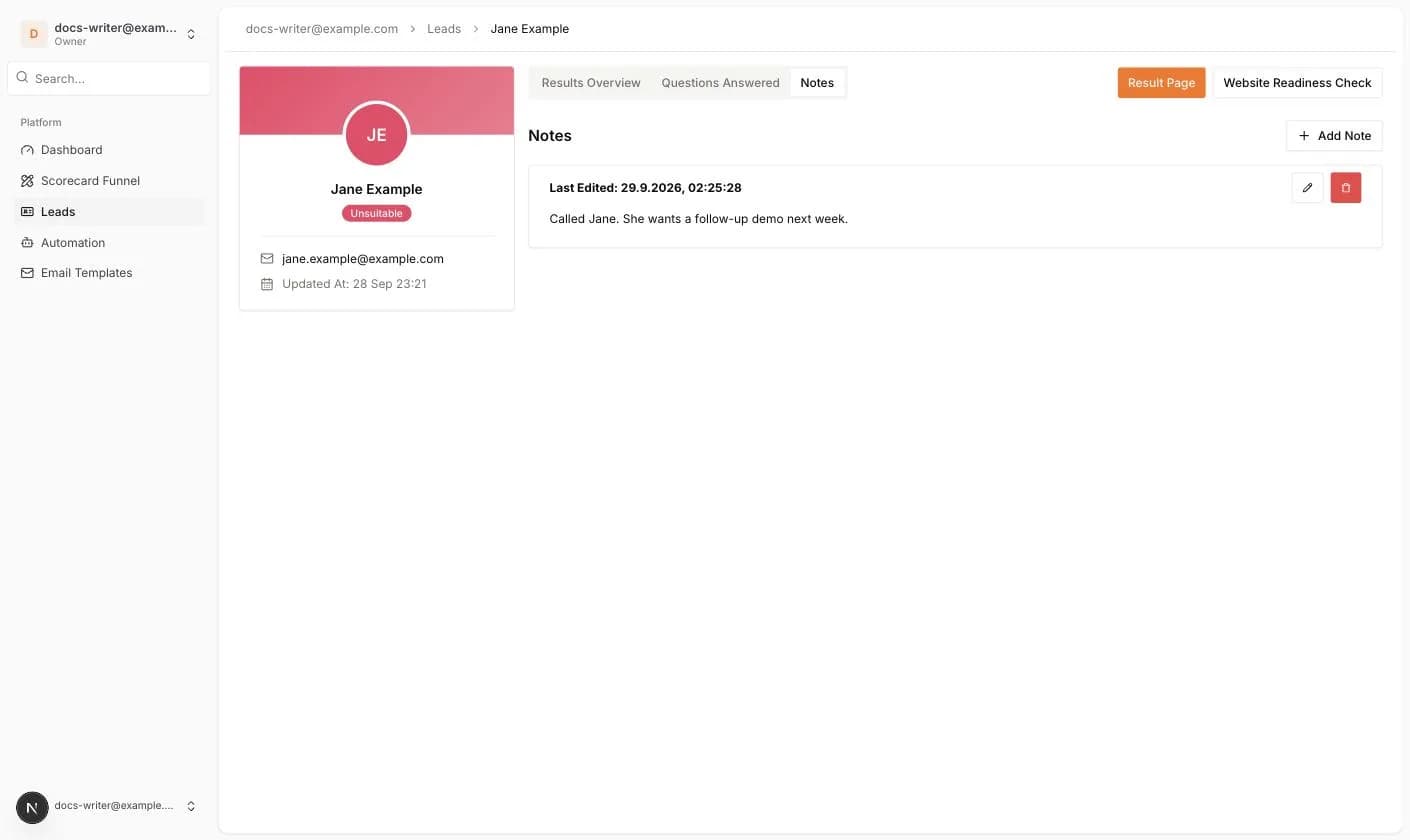
Notes are private comments about a lead. Only your team can see them.
- 1Open the Notes tab and click Add Note.
- 2Type the Note Content and click Save Note.
- 3Each note shows when it was Last Edited. Use the pencil icon to update it and the trash icon to delete it after a confirmation.
Status information and notifications
- The tier badge on the profile card is the lead's current status. It follows the latest finished result.
- Hot lead is a flag set by the tier. It is not shown as a badge, but it is counted in the dashboard statistics.
- When a lead finishes a published scorecard, the account owner and every team member with lead access get an email with the name, email, phone and a link to the lead.
- If an automation with a Scorecard trigger exists for that scorecard, it runs after the lead is created.