
What is an automation?
An automation is a small rule with three parts. A trigger starts it. Conditions decide whether it should continue. Actions do the work, for example sending an email to the lead. Every run is stored as an execution with a log, so you can check what happened.
Use automations to follow up with leads right away, to warn your team about a strong lead or to push lead data to another tool through a webhook.
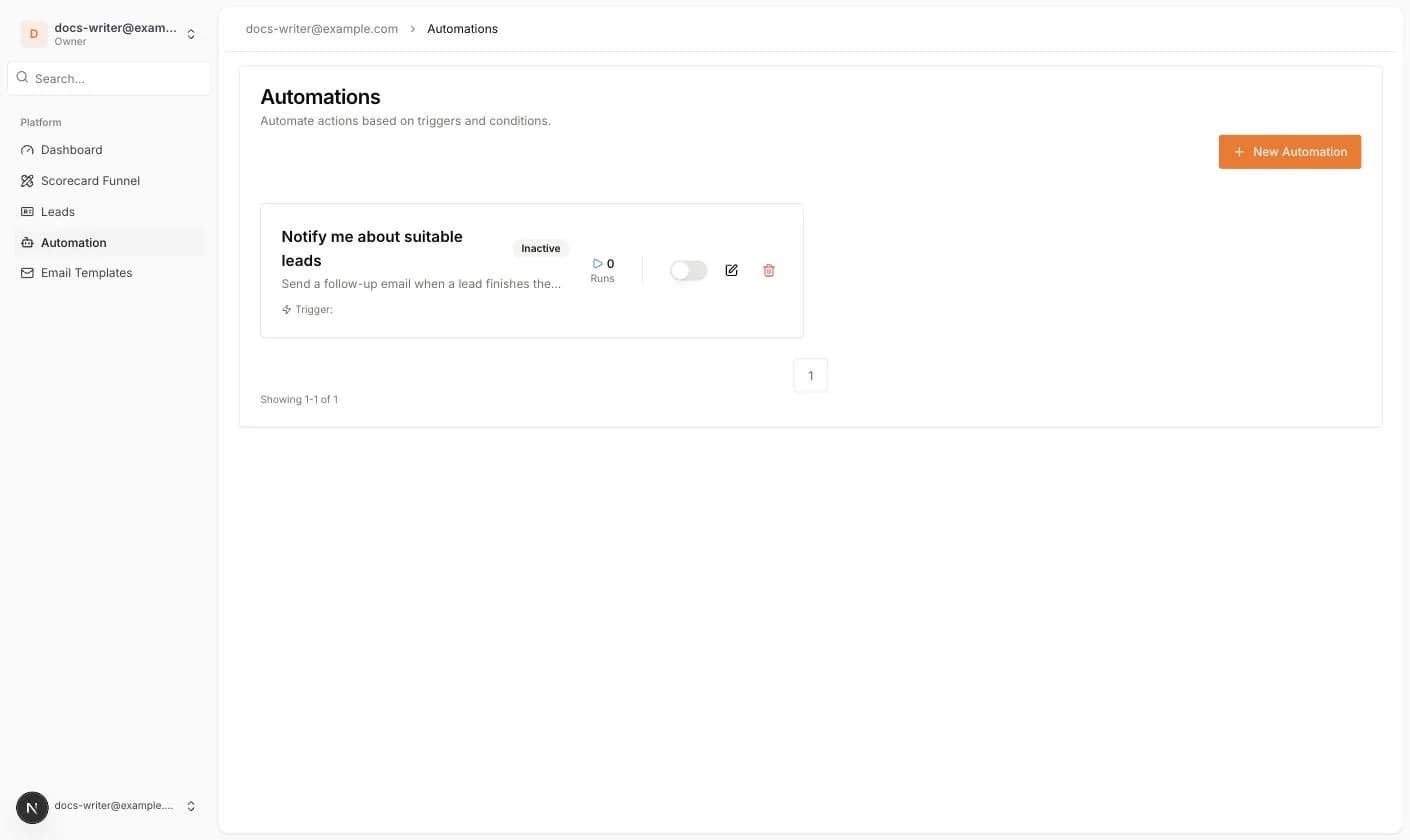
The Automations page
Open Automation in the left menu. Every automation is a card with its name, description, an Active or Inactive badge, the number of Runs and a Trigger line. The switch on the card turns the automation on or off. The pencil opens the editor and the trash icon deletes it after a confirmation.
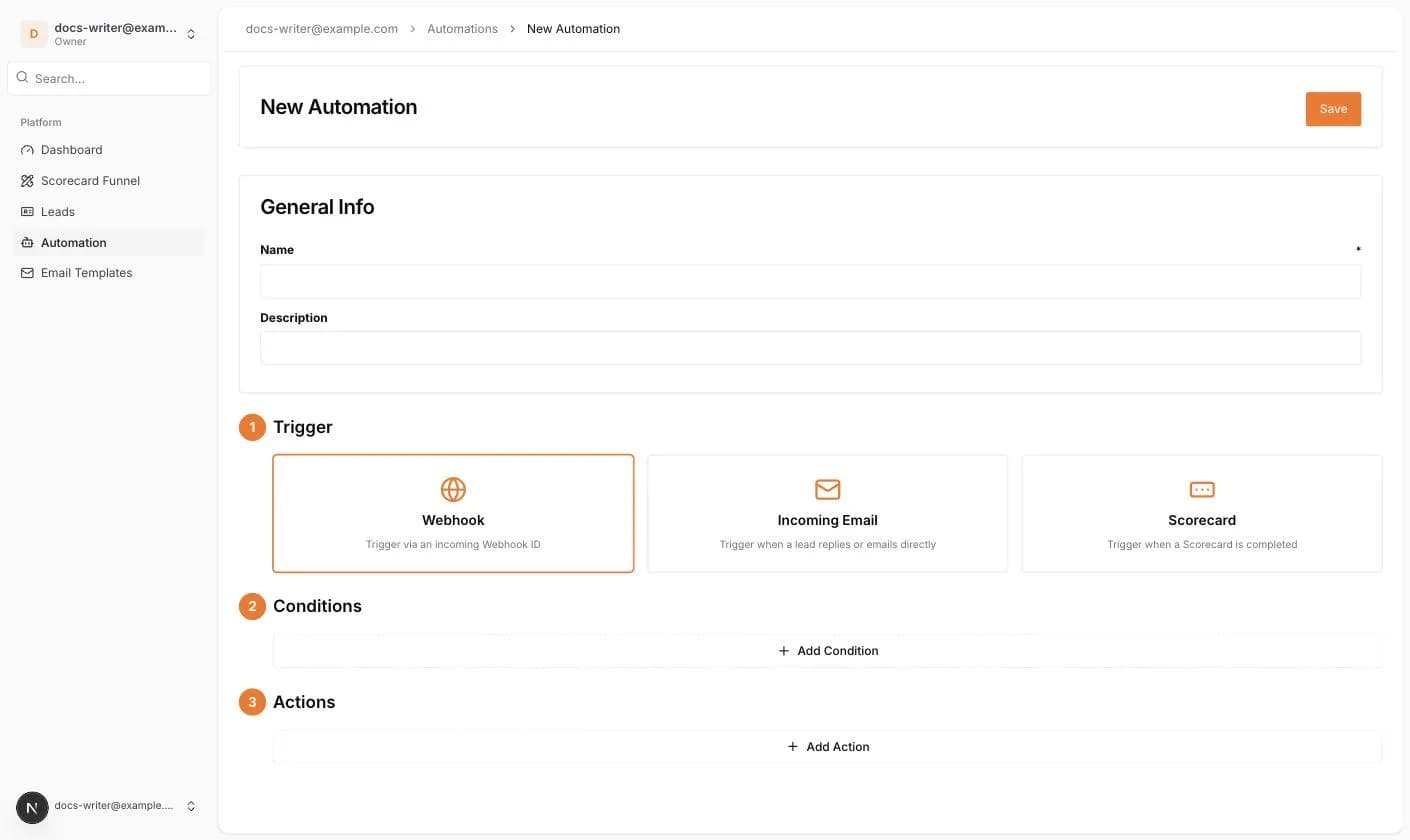
Creating an automation
- 1Click New Automation.
- 2Under General Info enter a Name (required) and a Description.
- 3Pick a Trigger: Webhook, Incoming Email or Scorecard. For Scorecard, choose the scorecard from the dropdown.
- 4Click Add Condition to add one or more conditions. The list of condition types depends on the trigger.
- 5Click Add Action to add one or more actions.
- 6Click Save. The automation is created as inactive. Switch it on from the list when you are ready.
The trigger type cannot be changed after creation. Create a new automation if you need a different trigger.