
Enable Enrichments and the Enrichments page
Enrichments run after a lead is captured. They add extra data to the lead, for example a summary of the lead's website or the text of an uploaded PDF. Each enrichment writes its result under an output key. Later enrichments and the result page can read that key as a {{placeholder}}.
To use them, switch on Enable Enrichments in Settings > Behavior & Privacy and save. An Enrichments entry then appears in the scorecard menu.
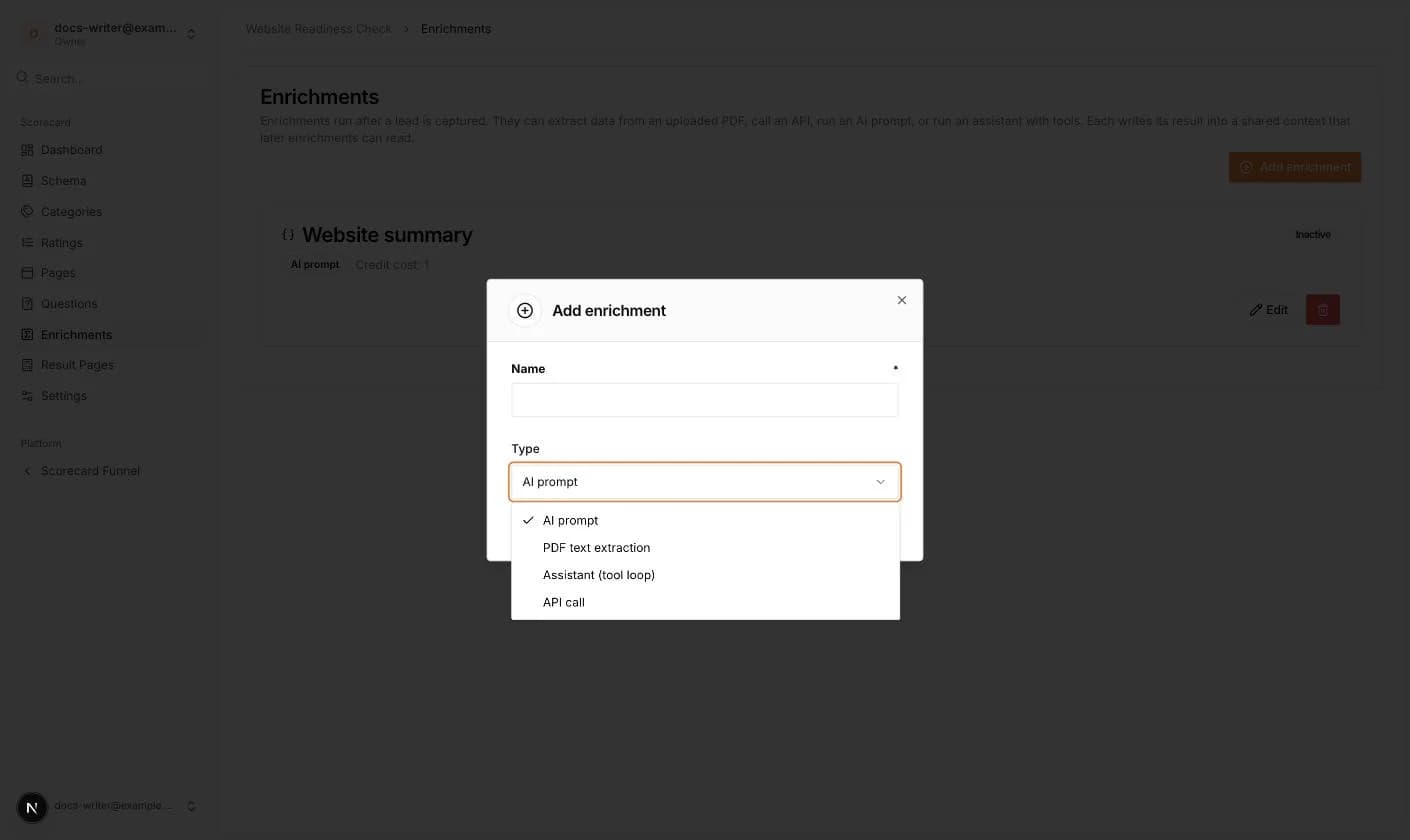
- 1Open Enrichments and click Add enrichment.
- 2Enter a Name and choose a Type: AI prompt, PDF text extraction, Assistant (tool loop) or API call.
- 3Click Submit. The enrichment is created as Inactive.
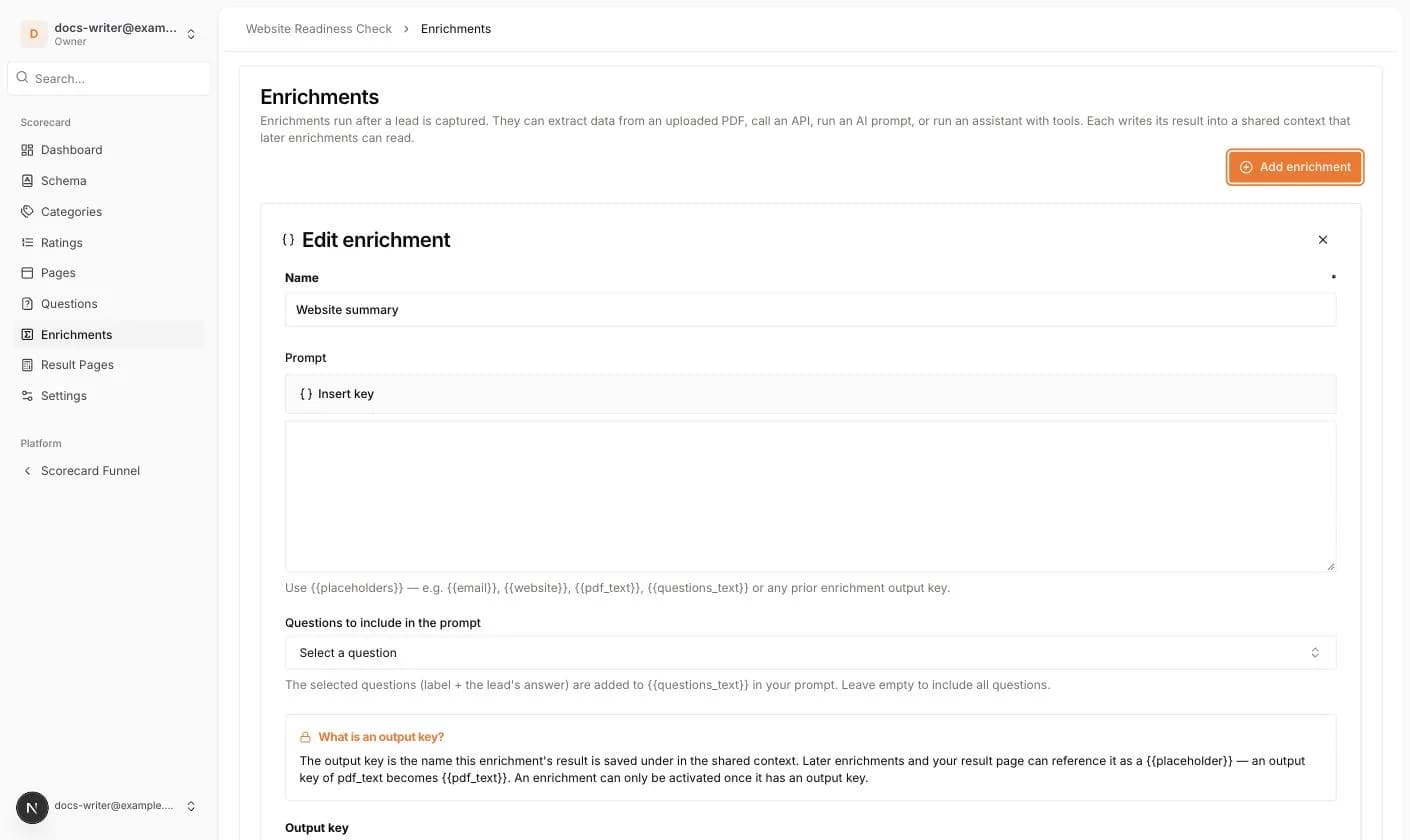
- 4Click Edit to fill in the details. An AI prompt needs a Prompt; use Insert key to add placeholders such as {{email}} or {{questions_text}}. You can also choose which Questions to include in the prompt. PDF text extraction needs the schema field key of the uploaded PDF. An Assistant needs a Prompt, optional tools and a maximum number of tool-loop iterations. An API call needs a Request URL and a Method (POST or GET).
- 5Enter an Output key. An enrichment can only be activated once it has one.
- 6Switch on Active and click Save. Only active enrichments run.
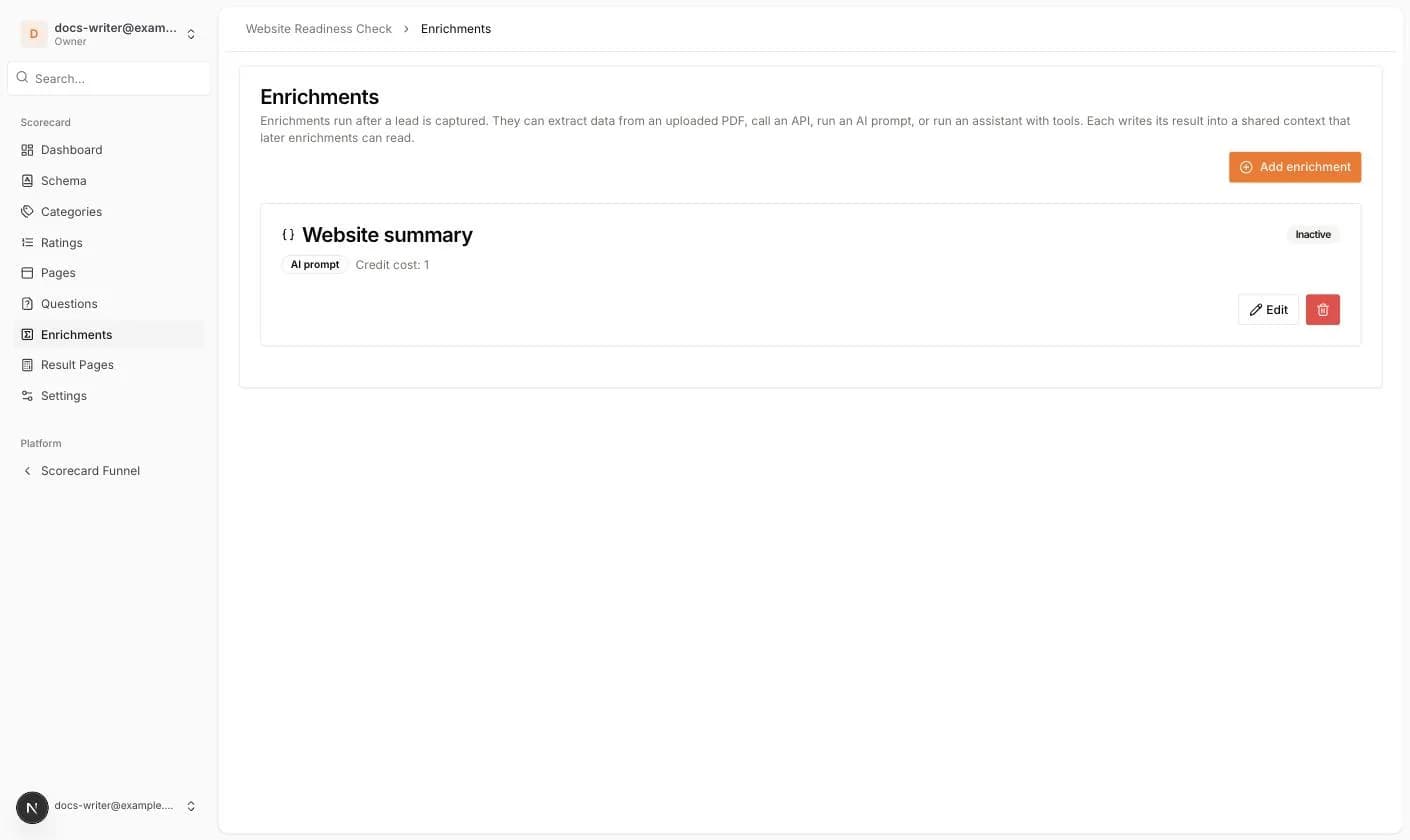
Enrichments cost credits. Each card shows its Credit cost. AI prompts, API calls and assistants cost 1 credit, PDF text extraction costs 2, and an assistant is charged per tool-loop iteration. Your credit balance is shown under Billing & Subscription, where you can also Buy Credits. Enriched data appears on the lead page in an Enrichment tab.