Schema (lead fields)
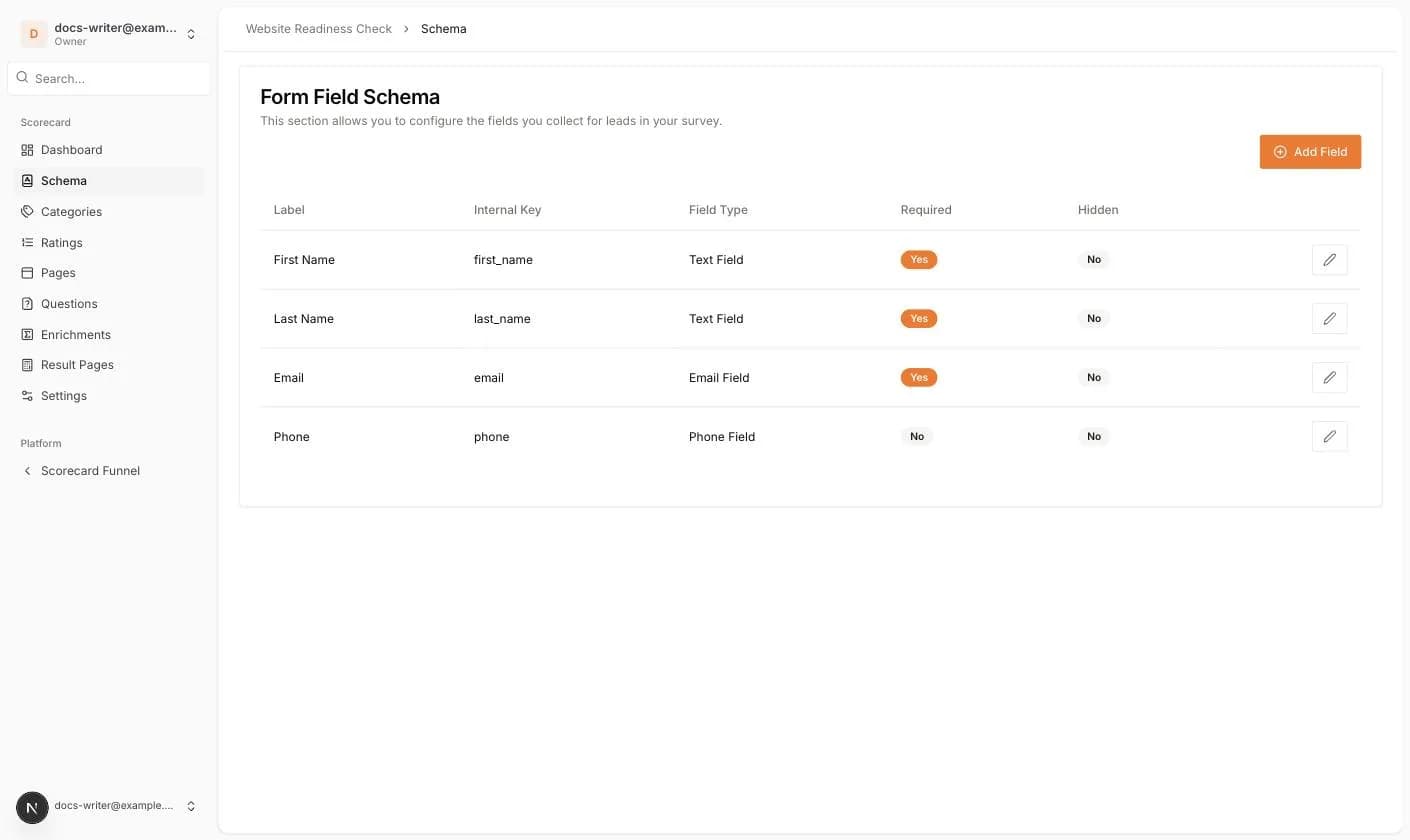
The Schema page decides which contact details the lead form asks for. Every scorecard starts with four fields: First Name and Last Name (text, required), Email (email, required) and Phone (phone, optional). These four cannot be deleted, but each one can be hidden.
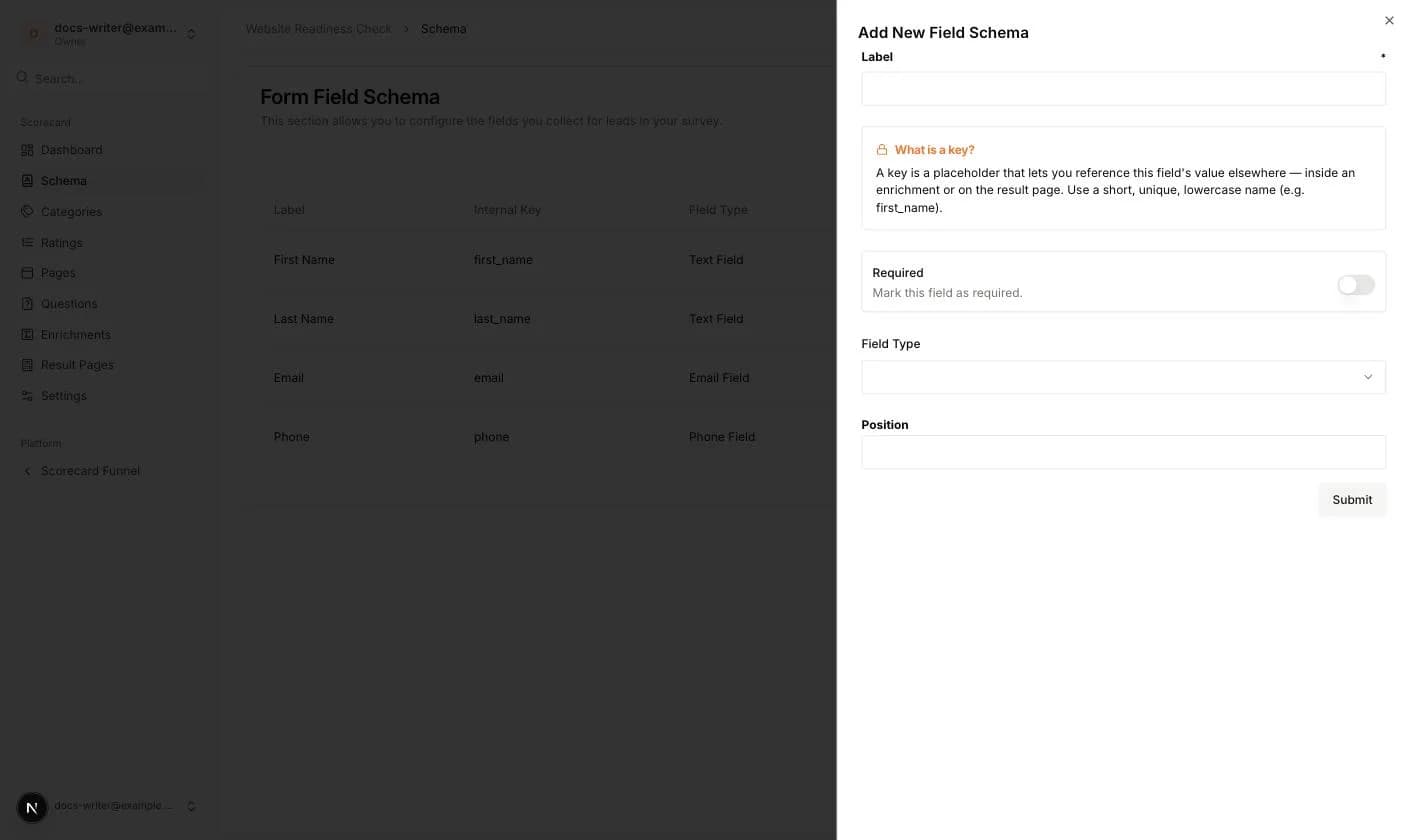
Add your own fields when you need more information, for example a company name or a file upload.
- Label: the text shown above the input. Required.
- Internal Key: a short, unique, lowercase name such as first_name. You can reuse the value later as a {{placeholder}} in enrichments and on the result page. Required.
- Required: switch it on to force the visitor to fill in the field.
- Field Type: Text Field, Email Field, Phone Field, Text Area Field or File Upload Field.
- Position: a number that sets the order in the form.
- File Upload Field only: Maximum file size and Allowed file types (PDF, Images, Audio files, Video files, Text documents). Leave the types empty to allow any file.
- Hidden (when editing a default field): hides the field from the survey form.